
My Perspective on GenAI: Part 2
Seven months later, the tools caught up to the vision. A Lot Has Changed When I wrote My …

A concrete example of the harness pattern from Part 2.
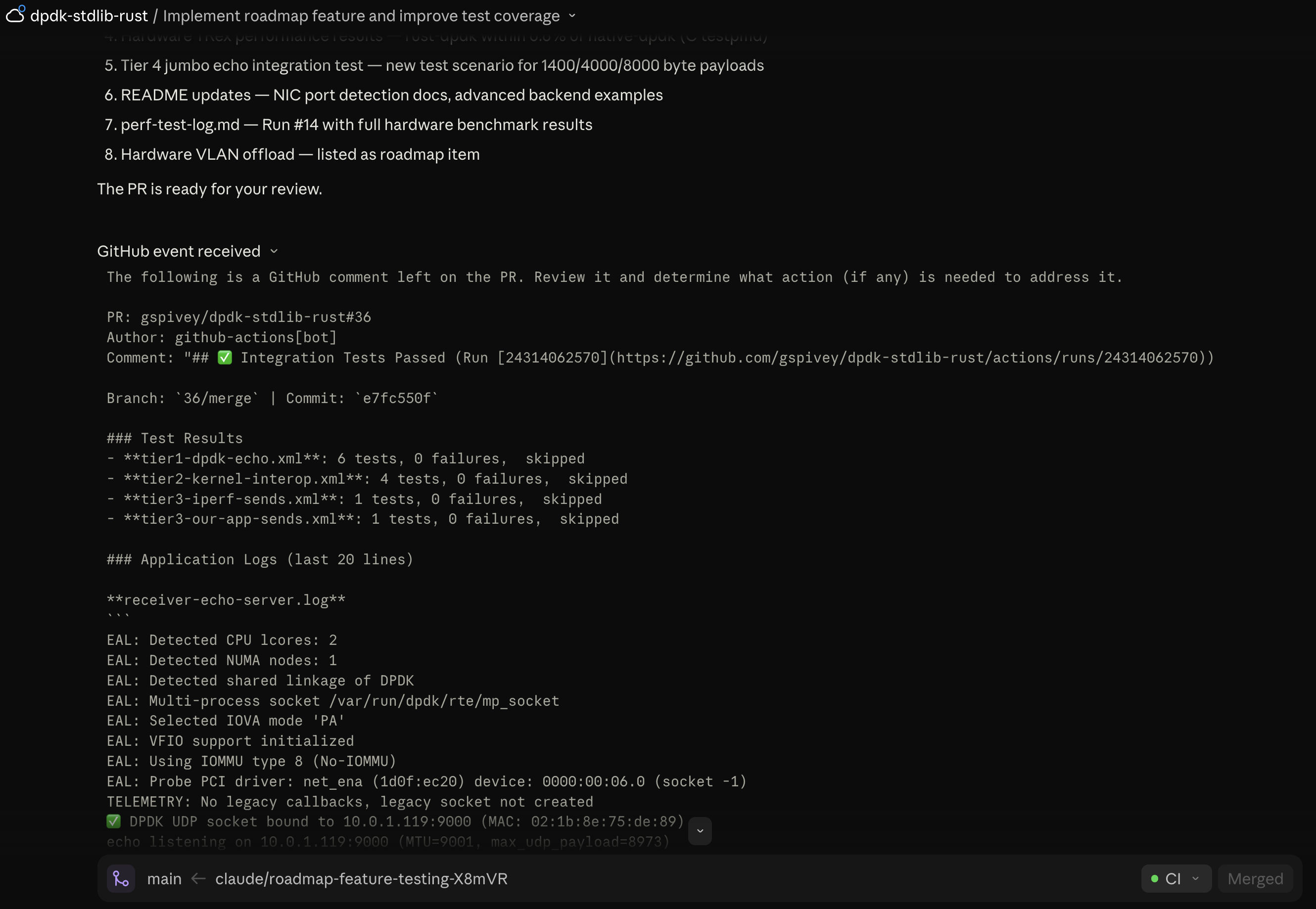
I kick off a Claude Code Web task from my phone, then check back 20 minutes later. The agent is paused. GitHub Actions tests failed 20 minutes ago. It never noticed. The prompt asked the agent to poll the comments and Action results but it was in a holding pattern waiting on me.
This kept happening. I’d start a task, the agent would push code, and more than half the time it would just forget to check the PR and finish the work. In Part 2 I argued that the unlock for async AI development is context, not steering prompts. This is how I learned that lesson and what I did to implement it.
The agent has to remember to go check CI. And agents are inconsistent about remembering things. I tried steering prompts: “Keep iterating on the PR until tests are clear. … and I’ll review the final PR..” Sometimes it worked. Mostly it didn’t.
I tried RFC 2119 language — MUST, SHALL, in caps. Didn’t help. You can SHALL all you want; you can’t SHALL data into existence.
I packaged this into a tiny Claude Code plugin: GerardsCuriousTech/gh-pr-webhook-hooks.
Two PostToolUse hooks:
mcp__github__create_pull_request), the hook reminds the agent to call mcp__github__subscribe_pr_activity for that PR.git push, same reminder fires.Once subscribed, CI results, status changes, and review comments stream into the agent’s context as <github-webhook-activity> messages. The agent doesn’t poll. It doesn’t “remember to check.” The data just shows up.
#!/usr/bin/env bash
# Hook: post-push.sh
# Fires after any `git push` command.
# Reminds the agent to monitor CI via PR activity subscription so results
# stream in as webhook events instead of requiring the agent to poll.

cat <<'GUIDANCE'
Push detected — monitor CI:

1. If you have an open PR and are NOT already subscribed, call
   `mcp__github__subscribe_pr_activity` now. If already subscribed, CI
   results will arrive automatically as `<github-webhook-activity>` messages.

2. Wait for CI — do not consider work done until all checks are green.

3. If CI fails:
   - Read the failure details from the webhook activity
   - Diagnose the root cause from the logs (do not guess)
   - Fix locally, verify with this project's build/test commands
   - Commit and push the fix to the same branch

4. Repeat until CI is green.
GUIDANCE
In a Claude Code session inside your project:
/plugin marketplace add GerardsCuriousTech/gh-pr-webhook-hooks
/plugin install gh-pr-webhook-hooks
Built for Claude Code Web, where subscribe_pr_activity is provided by the platform’s built-in GitHub integration. On desktop, the hook fires but the subscribe tool isn’t available in the reference @modelcontextprotocol/server-github package — the agent falls back to polling via tools like get_pull_request_status, which is the exact anti-pattern this post argues against. A cross-platform version is on my roadmap.
The hooks are tool-agnostic otherwise — they don’t assume npm, cargo, or any specific build commands.
I originally built these hooks for one project but they worked well enough that I wanted them everywhere. Claude Code plugins solve this. One install command, hooks bundled with their config, versioned in git, shareable. If you’re building patterns for your own AI workflow that you want to reuse, the plugin format is worth learning.
This is a small example of a principle worth internalizing: every time you catch yourself writing a steering prompt that says “remember to X,” see if you can make X happen automatically.
The agent doesn’t have to be reliable about these things if the harness makes them deterministic. That’s the shift Part 2 was pointing at, and this plugin is one small instance of it.
If you’re doing async AI development and fighting the same “did it actually check CI?” problem — try it. Two hooks, five minutes to install.
Seven months later, the tools caught up to the vision. A Lot Has Changed When I wrote My …
How I turned trial‑and‑error into a repeatable workflow My experience with GenAI Here’s my take …
NVIDIA ending GameStream Support