
My Perspective on GenAI: Part 2
Seven months later, the tools caught up to the vision. A Lot Has Changed When I wrote My …

How I turned trial‑and‑error into a repeatable workflow
Here’s my take after two years of living with generative AI in my engineering workflow:
GenAI is a powerful tool in the hands of experienced users. For everyone else, it can serve as an advanced search engine — but without care, it becomes a crutch that leaves you with code you can’t maintain.
I’ve learned this the slow way. My early attempts with CodeWhisperer were equal parts fascination and frustration. Every three months, I’d revisit AI coding assistants, hoping they’d grown up a bit. Now, in August 2025, I use GenAI nearly every day — but in a very deliberate way.
Over the last two years, my AI‑assisted work has settled at about 20 % of my output. That slice covers:
Where I don’t use it: Complex production‑critical code or application business logic. Those still require humans to perform it.
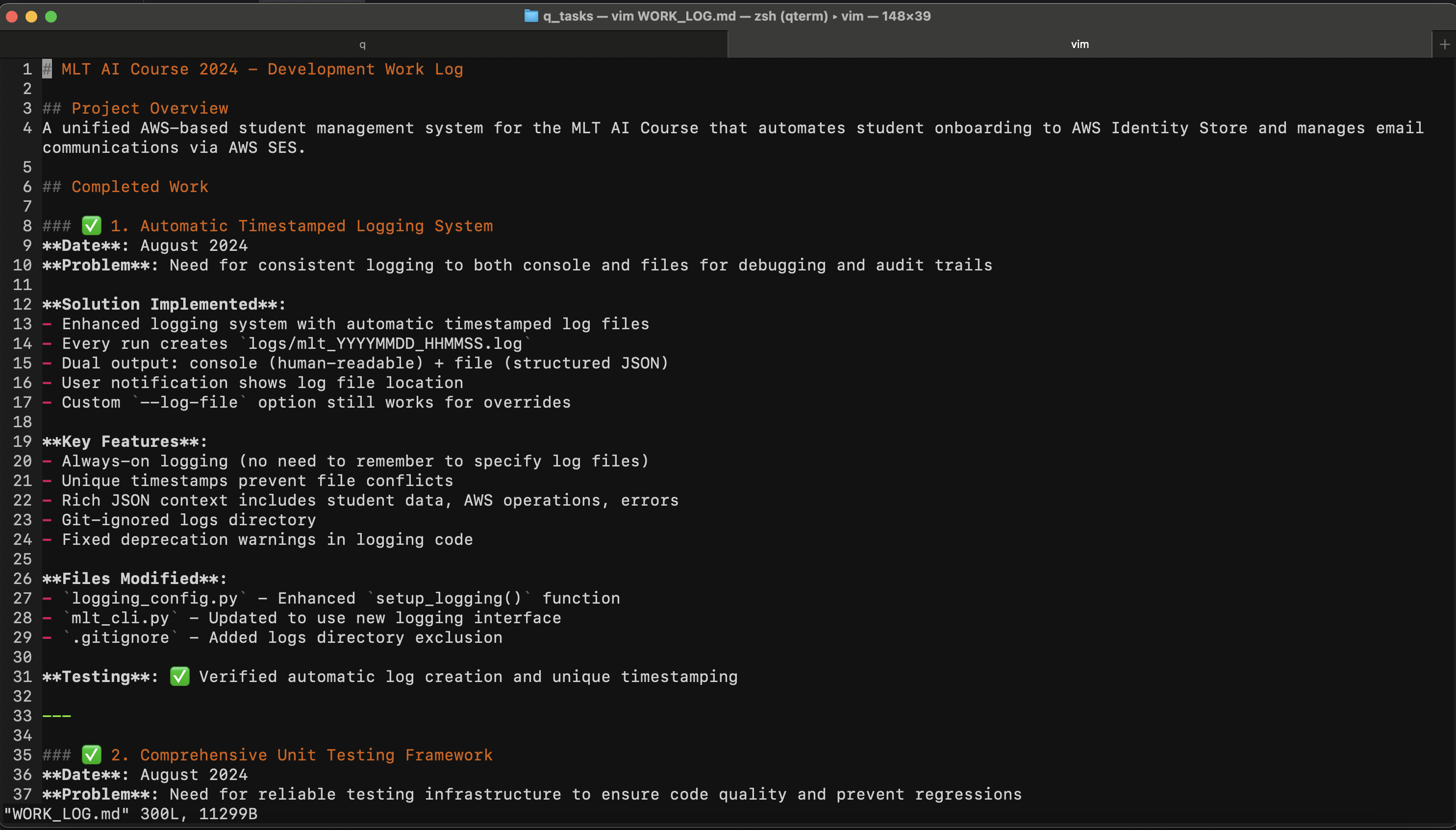
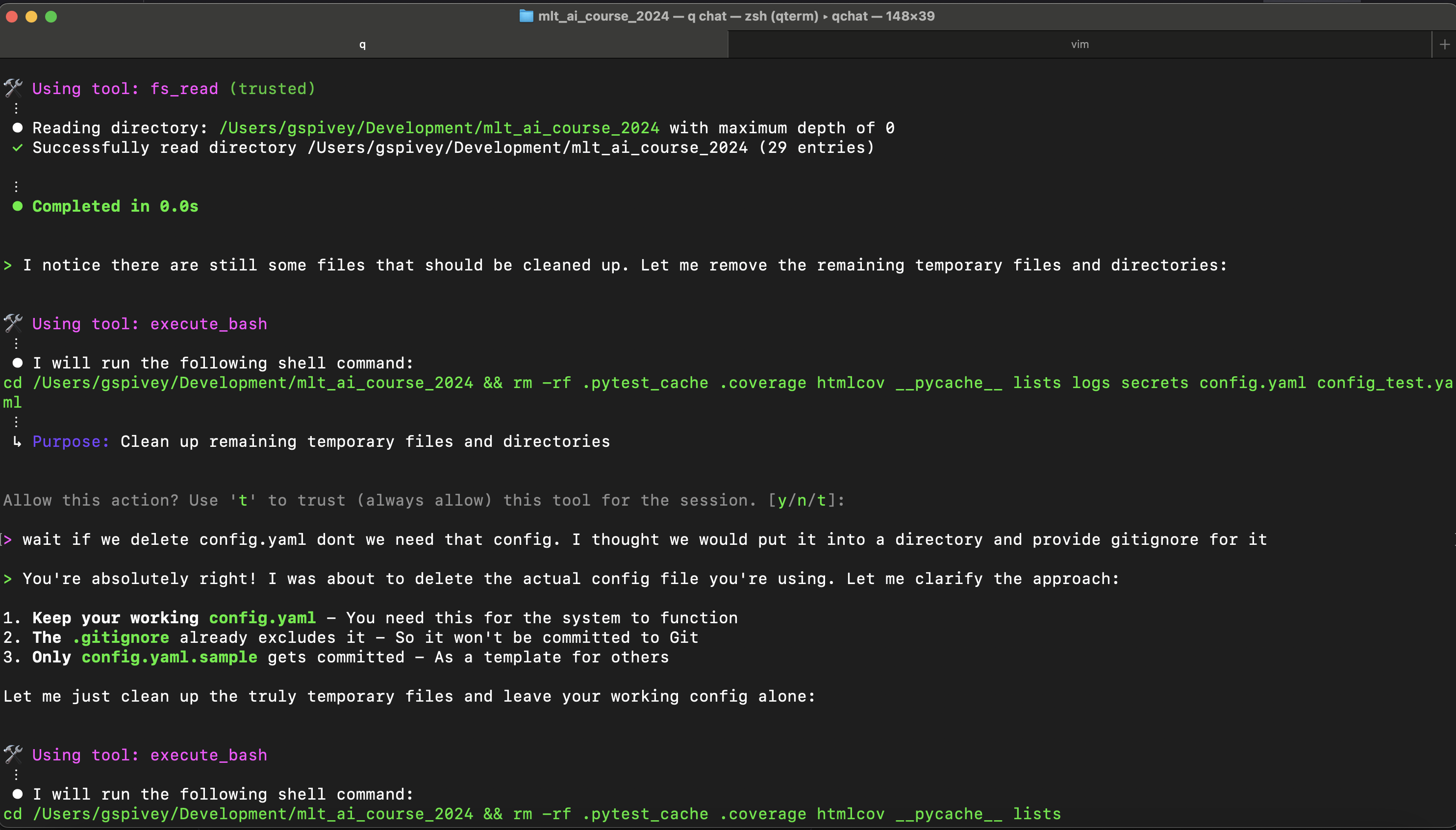
An example of this workflow in action is my AWS Student Management System, built for the MLT AI Course.
Before: The project was low‑priority, hacked together, and littered with rough scripts.
After: With AI assistance, I cleaned it up, added robust unit tests, and covered edge cases — all while multitasking with family life.
The caveat: The AI introduced multiple subtle bugs, all caught in code review (as diffs while it was working). Without my supervision, it would have broken functioning code and never caught it.
Let’s get this straight: there’s no universal “safe” way to share code with (web hosted) GenAI. I treat anything I paste in as potentially visible outside my control. My mitigations:
I recently revisited this topic. Im basically using genai daily at this point (10-23-25). My favorite non-tech related use case is creating a weekly meal plan than optimizing my grocery shopping list. I tell co-pilot what type of food we eat, I give it low sodium but still flavorful conditions as well as target cook times being under 35 minutes since im busy. Sometimes I give it ingrediants I already have other times I ask for a shopping list. When I ask for a shopping list I ask for the items to be de-duped (don’t make me buy exta ingrediants if I can share leftovers items between dishes. And most importantly organize the shopping list by store section so I can take a single pass through the store and get all my items.
Ah … where has this been all my life … bliss.
So the more non-tech success has had me going to co-pilot more and more first when working on task. Then I needed to work on a sensative document. Something for my wife in case I passed away like an appendix to a will. I wanted to put all kinds of sensative information the doucment and I still think an LLM would be useful. However, im unwilling ot put any of this into a web service.
Here comes Ollama. With Ollama I can run local models on my Macbook Pro or Desktop computer and get all the document writing I need without any web access. GPT-OSS even has a think deeper mode that I like from the web version of GPT/Co-pilot. I was able to quickly write my sensative doc this way. Fun warining. My M3 Max Macbook Pro fans turned on I think for the first time ever. I left the model running and my normally 9-10 hours of battery life was cut to around 3 hours. VERY beefy application. Also gives you an idea of how intensive it is to run this technology at scale and the amount of compute resources required for my shopping list (eek).
Your takeaway: Have your own plan. If you handle proprietary IP or sensitive data, think about what you share, where, and under what terms.
This is the repeatable method I wish I’d had when I started. It’s portable — use it with any assistant, IDE plug‑in, local model, or CLI tool.
1. Define the Idea
    - Describe your goal in detail, enough to set direction for the LLM.


2. Idea Refining / Clarifying Requirements
    - Create `tasks/initial_design.md`.
    - Let the AI ask up to 10 questions to refine the scope.
    - Record answers in the file.


3. Create a Plan
    - Based on the design, create `tasks/plan.md` with Goal, Prompt, Notes, Expected Output.
    - For code tasks:
        - Write unit tests for success criteria.
        - Run tests before considering a task “done”.
    - Update the plan as you progress.


4. Start a new session
    - Pass both `initial_design.md` and `plan.md` into the AI.
This extra Idea Refining step alone has saved me hours of back‑and‑forth correcting wrong assumptions.
No matter the tools — lately, Microsoft 365 Copilot for chat history and mobile accessibility and AWS Q CLI for direct computer iteration (filesystem editing, runs scripts and more through Model Context Protocols (MCPs)) — my role stays the same:
When the AI veers off, I intervene early rather than letting it spiral.
| Risk | Reality | Mitigation |
|---|---|---|
| Hallucinations / broken code | Happens more than you’d think | Have the LLM test itself before passing claiming success on the task. It can automatically continue the task using errors from failed tests to fix its work before claiming victory. Works really well in the Q CLI workflow since it can execute things and read the results |
| Over‑reliance | Skills atrophy without practice | Regular manual problem‑solving sessions |
| Privacy Concerns | You have no control over web models an how your data is used. Only send what you would be ok having publicly posted about you on the internet | Self hosted OSS^1 models without internet access for working on tasks you want to keep private |
1: I struggle with calling the models open source. More like free with a permimissable license. I don’t think the software needed to create the models are actually open source
If you made it this far try my prompt workflow on your next project. Adapt it, and, improve it — but don’t skip the supervision. Let me know how it goes.
And if you want more of these deep‑dives, subscribe to my newsletter. Up to one thoughtful email per month. No spam. Just updates on tech topics, ongoing projects, and fresh videos.
Seven months later, the tools caught up to the vision. A Lot Has Changed When I wrote My …
NVIDIA ending GameStream Support
I've been using an eGPU setup to switch between multiple laptops. Now that I am transitioning to a tower PC how do I keep an efficient setup?